
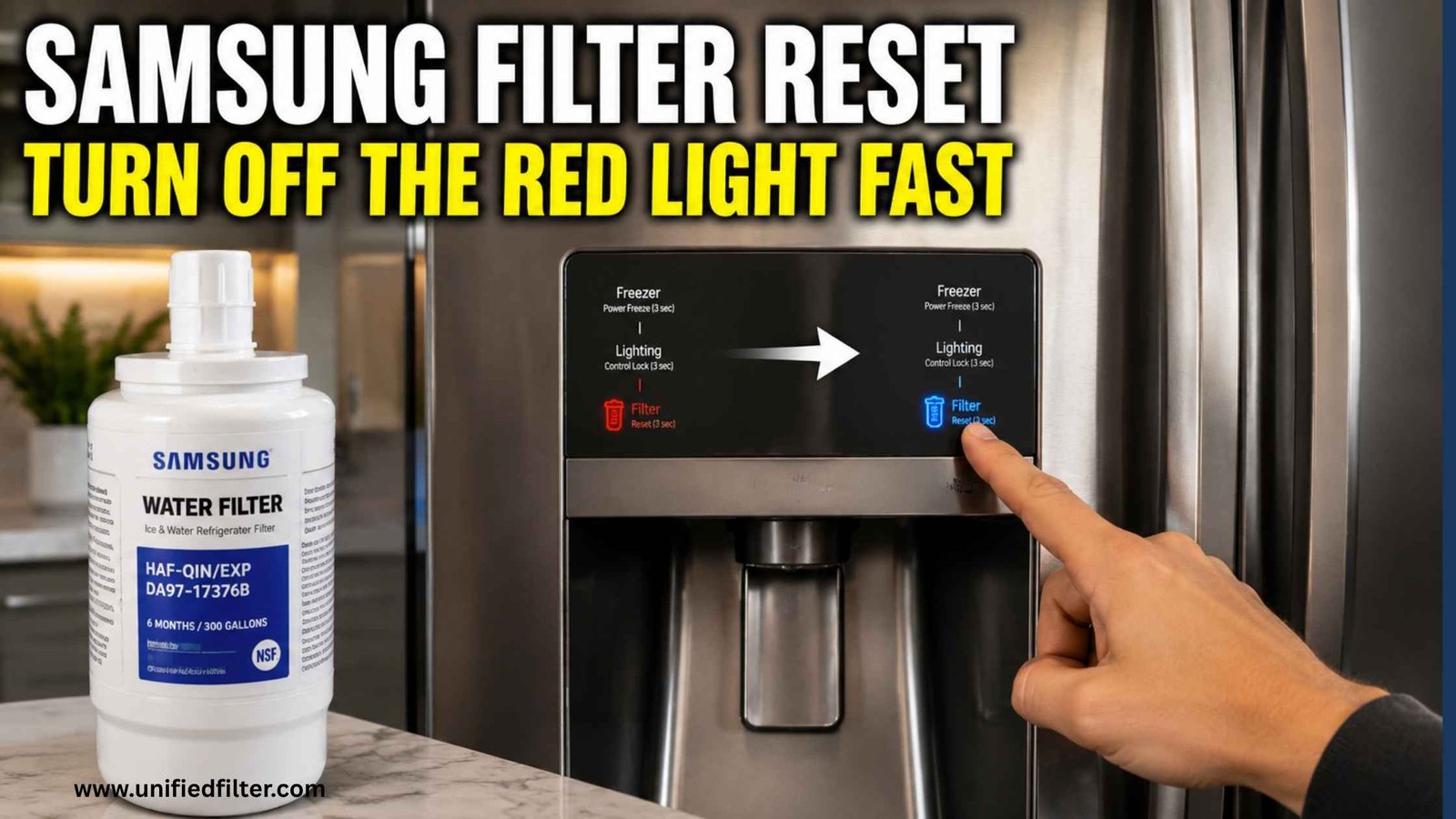

You changed the filter. The water tastes clean, the flow is strong — and the little filter light on the panel is still red. Nothing is broken, and your new cartridge is not faulty. Here is the fact this whole page hangs on: the Samsung filter indicator is a timer and usage counter, not a sensor. It does not test your water, it cannot detect a new cartridge, and it never, ever resets itself. Resetting it manually is the last step of every filter change, and this guide covers the reset methods by control-panel style, the right order to do them in, and what to check if the light refuses to clear. If you have not changed the cartridge yet, start with the Samsung refrigerator water filter guide — the reset only makes sense after a genuine change.
Why the Light Never Resets Itself
The indicator counts time and, on many models, gallons since the last reset. When the count crosses its threshold — both Samsung cartridges we sell are rated at 6 months or 300 gallons — the light turns amber, then red. Sliding a fresh cartridge into the housing changes nothing on that counter, because the fridge has no way of knowing the cartridge changed. That design is actually honest: the light’s job is to remind you, and the reset is you confirming the job was done. It is also why the DA29-00020B product page’s install steps end with the instruction to press and hold the Filter Reset button on the panel — Samsung builds the reset into the change procedure itself.
Do It in the Right Order: Change, Flush, Then Reset
Resetting is step three, not step one. The full sequence from the product pages:
- Change the cartridge. On the round HAF-CIN (DA29-00020B): twist the old filter a quarter-turn counterclockwise and pull it out, push the new one in and turn a quarter-turn clockwise until it locks. On the square HAF-QIN (DA97-17376B): push in and twist 90 degrees clockwise until it clicks — under a minute, no tools.
- Flush. Run water through the dispenser for 3 to 5 minutes — both Samsung product pages specify this — to clear loose carbon and trapped air. A little sputtering at first is normal. Discard the first batch of ice too.
- Reset. Now clear the indicator using the method for your panel below.
Which cartridge do you have? The round one is covered in our HAF-CIN guide and the square one in our HAF-QIN guide — the shape of the cartridge you removed tells you instantly.
The Reset Methods, by Control Style
Samsung has used several panel layouts over the years. The methods below are the commonly documented ones for each style — treat your model’s manual as the final authority, because button names and combinations vary by model and year.
- A dedicated Filter Reset button (most French-door and many side-by-side models): press and hold the Filter Reset button for about 3 seconds. The indicator turns from red to green or blue, or goes out, and the counter restarts. This is the method the DA29-00020B page itself describes: press and hold the Filter Reset button on the fridge panel to reset the light indicator.
- A combined Alarm / Filter Reset button (Family Hub and many French-door panels): on these panels the filter reset shares a button with the door alarm — press and hold that combined Alarm/Filter Reset button for about 3 seconds. On touch-screen Family Hub models, the reset can also live in the on-screen settings (Fridge Manager / filter status), where you confirm the filter change and the indicator clears.
- Older side-by-sides with button combinations: some older models have no single reset button and instead use a combination — commonly holding the Ice Type and Water buttons together for a few seconds, or a similar pairing printed beside the display. These combinations are the most model-specific of all: if yours is an older side-by-side, go straight to the manual rather than trying combinations at random, because the wrong pairing can change ice-maker or temperature settings.
Whichever style you have, one detail matters: hold the button a full, counted three seconds. A quick tap does nothing on most panels, and “the reset doesn’t work” is usually a press that was too short.
If the Light Stays Red
Work through these in order before assuming anything is faulty:
- Hold it longer. Press and hold for a slow count of three — longer on some panels. This fixes most “failed” resets.
- Re-seat the cartridge. A cartridge that is not fully locked can leave the indicator unhappy on some models. Remove it and reinstall until it locks or clicks firmly — quarter-turn clockwise on the round HAF-CIN, 90 degrees on the square HAF-QIN.
- Confirm it is the right cartridge. Round and square Samsung housings do not interchange. If the cartridge went in with force, it is probably the wrong one — compare it with the cartridge you removed.
- Confirm the change actually happened. If the light was reset in the past without a change (see below), the counter and the cartridge are out of sync, and the honest fix is a new cartridge followed by a proper reset.
- Check the manual for your exact model. Panel layouts genuinely differ; the manual’s method overrides every general guide, including this one.
Resetting Without Changing: Please Don’t
Because the reset is just a button-hold, it is tempting to clear a red light without changing the cartridge — the fridge cannot tell the difference. But you can, in the glass: the indicator exists because the carbon in a spent cartridge is saturated. A cartridge past its 6 months or 300 gallons passes water while capturing less and less of what it was certified to remove, and resetting the light simply restarts the countdown on a filter that is already finished. It is the one “fix” that makes the reminder system lie. If cost is the hesitation, the genuine round DA29-00020B is $36.97–$110.46 by pack size here, and the certified-compatible square DA97-17376B — labelled honestly as a compatible, NSF/ANSI 42 and 53 certified — is $33.99–$120.99, both with free US shipping on any order amount.
Orders are processed within 1–2 business days and delivered in 3–5 business days via USPS, and unopened filters return within 30 days, free, with a prepaid label.
Frequently Asked Questions
Why is my Samsung filter light still red after changing the filter?
Because the indicator is a timer/usage counter, not a sensor — it cannot detect the new cartridge. It has to be reset manually after every change: press and hold the Filter Reset button for about 3 seconds (method varies by panel; your manual is the final authority).
How do I reset the filter light on a Samsung French-door model?
On most, press and hold the Filter Reset button — or the combined Alarm/Filter Reset button — for about 3 seconds until the indicator clears. Family Hub models may also offer the reset in the on-screen filter-status settings.
What is the reset combination on an older Samsung side-by-side?
Some older models use a button combination — commonly Ice Type + Water held together — instead of a single reset button. These are highly model-specific; check your manual rather than experimenting, as wrong combinations can alter other settings.
I held the button but the light will not clear. What now?
Hold a full counted 3 seconds, re-seat the cartridge until it locks or clicks, and confirm you fitted the right cartridge — round HAF-CIN and square HAF-QIN housings do not interchange. Then try the reset again, and check the manual for your model’s exact method.
Can I just reset the light without changing the filter?
You can, and you should not. The reset restarts the countdown on a saturated cartridge that is capturing less with every gallon — the light stops reminding you while the filter has already stopped doing its full job.
How often should the Samsung filter be changed and reset?
Every 6 months or 300 gallons — the rating on both Samsung product pages. Change, flush 3–5 minutes, reset, in that order, and the indicator will track the new cartridge honestly.